F16 F17 F18
30 Dec 2025 Charles Choi
A significant user interface improvement I made to my desktop experience on macOS this past year has been to globally bind the function keys above the number pad on a full-sized keyboard to window management commands, in particular to move a window either to the center, left, or right of a large monitor. On reflection, this seemingly modest change has surprisingly transformed how I manage windows now. If this seems interesting, please read on.
My usual work environment is setup like this:
- Laptop in clamshell mode, connected to a single monitor, keyboard, and mouse.
- I have the setting “Use F1, F2, etc. keys as standard function keys” turned on.
- For my keyboard, I use a stock Apple USB full sized keyboard (A1243) that has the row of function keys F16-F19 on the top row of the number pad as shown in the image below.
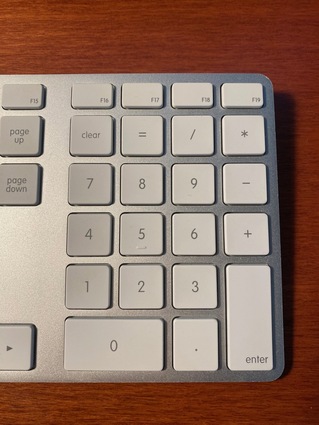
The following table specifies the bindings I use for these number pad function keys.
| Key | Command |
|---|---|
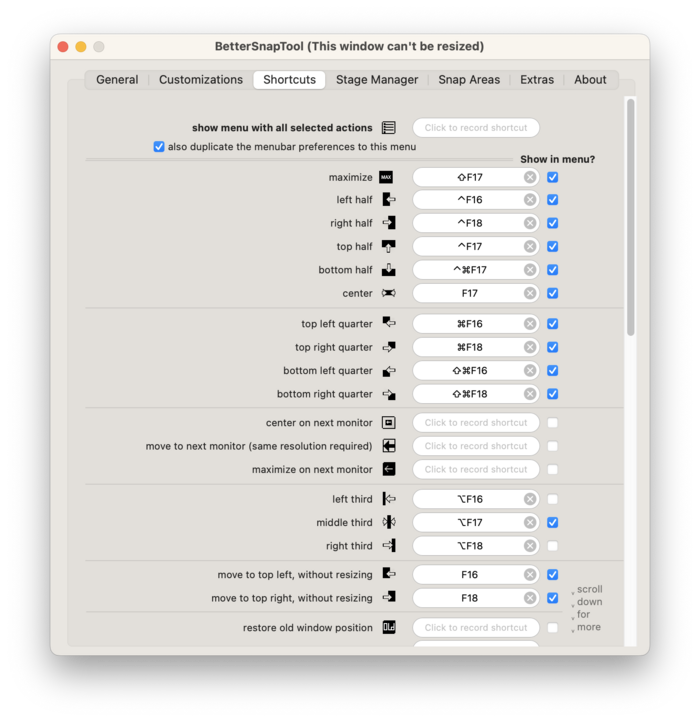
| F16 | Move to top left, without resizing |
| F17 | Center |
| F18 | Move to top right, without resizing |
These bindings can be implemented using a 3rd party app like BetterSnapTool or by configuring a keyboard shortcut via the macOS Settings app. As a happy BetterSnapTool user, I’ve configured it as shown below:
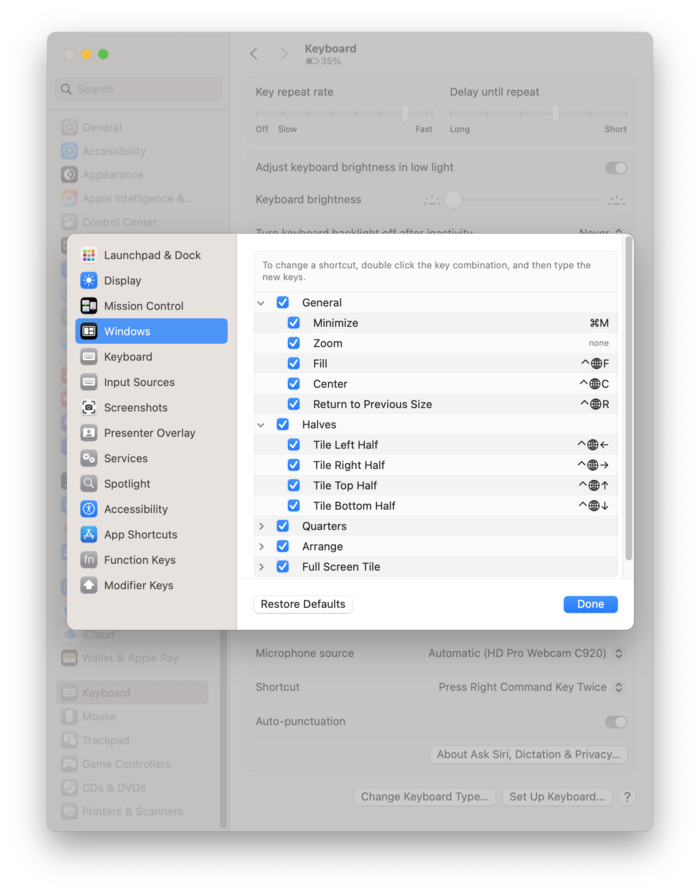
Users wanting to use what is built into macOS (Sequoia 15 or greater) can go to System Settings… › Keyboard › Keyboard Shortcuts… › Windows to customize the bindings to their preference.
Closing Thoughts
If you’ve followed my work on Casual you'll know that I’m not a fan of long key bindings that take up three or more keys to be pressed. Dedicating function keys to do basic window management has been far simpler to adopt in my interactions with a computer. It seems obvious with 20/20 hindsight, but simply centering a window with a single key press has done wonders for my ergonomics.
I acknowledge that this post is bespoke to me. If you don’t have a lot of function keys to spare, you'll likely find little of value here. But if you do have three spare function keys, I highly recommend binding them to window management commands. Give it a try - I think you’ll be pleasantly surprised.